How to download your YouTube Music history
To download your YouTube Music history, go to takeout.google.com, deselect everything, tick "YouTube and YouTube Music", keep only "history" and change its format from HTML to JSON under "Multiple formats". Google emails you a zip, usually within minutes to a few hours. Upload the zip to depth.fm; it picks out your YouTube Music plays and leaves ordinary YouTube videos out.
Last checked 27 September 2026. File names, folder layout and entry format checked against public documentation and open-source tools that read Takeout, not against a real export. Screens described from Google Takeout; screenshots to be added. Delivery time: minutes to a few hours.
What is in YouTube Music's history?
Google keeps one watch history for YouTube and YouTube Music. When you export it with Google Takeout, you get a file called watch-history.json with one entry for every video or song you opened: the title, the channel and the date and time. Entries from YouTube Music are labelled as such, and songs from official artist channels have a channel name ending in "- Topic" (for example "Aurora Vale - Topic"). depth.fm removes that ending.
There's no other way to download it: YouTube Music has no export button, and Google doesn't offer an API for listening history.
How do I request it?
Open Google Takeout
Go to takeout.google.com and sign in with the Google account you use for YouTube Music.
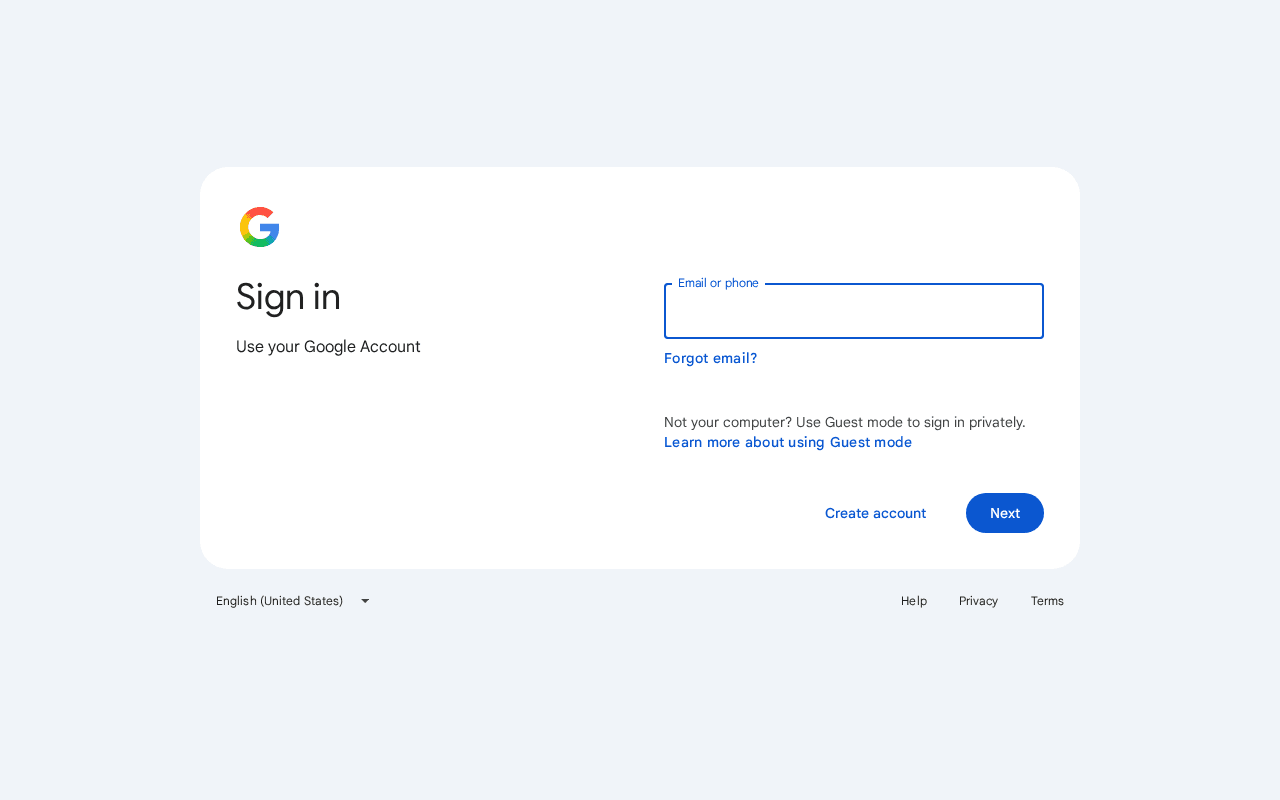
Screenshot taken September 2026: takeout.google.com asks you to sign in first. 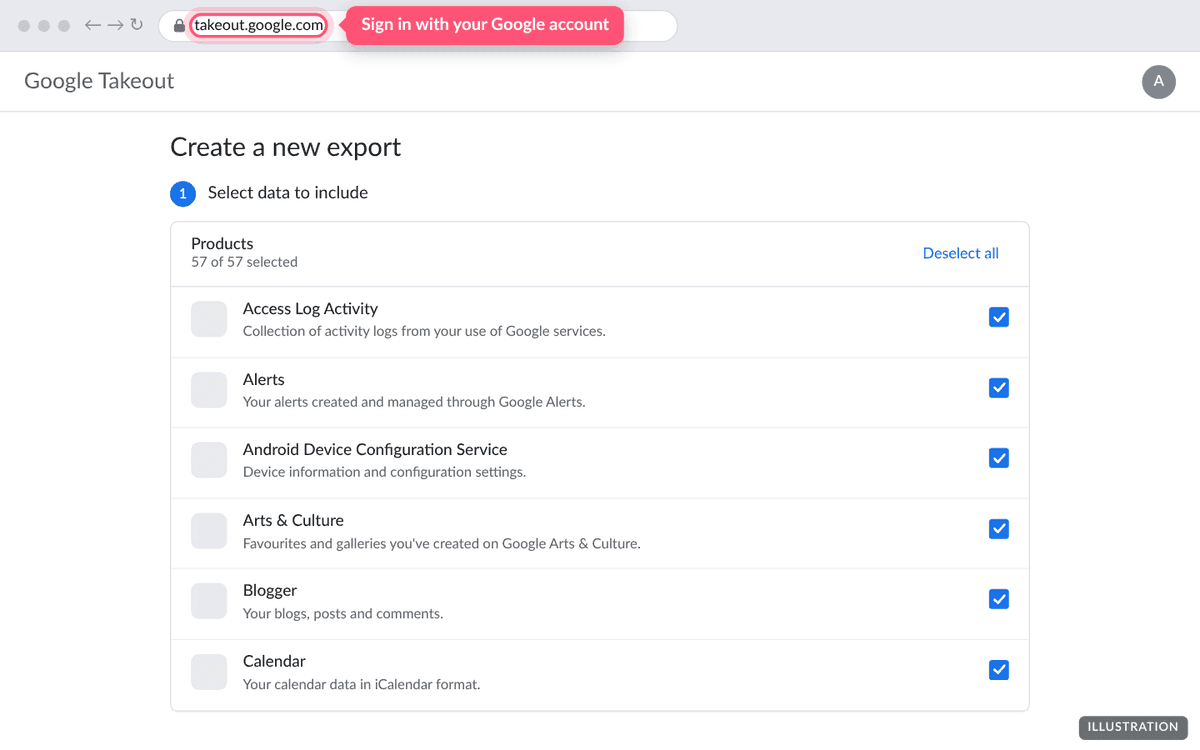
Illustration of the page. The real page may look slightly different. Deselect everything, then tick YouTube and YouTube Music
Press Deselect all at the top of the list. Scroll down and tick YouTube and YouTube Music.
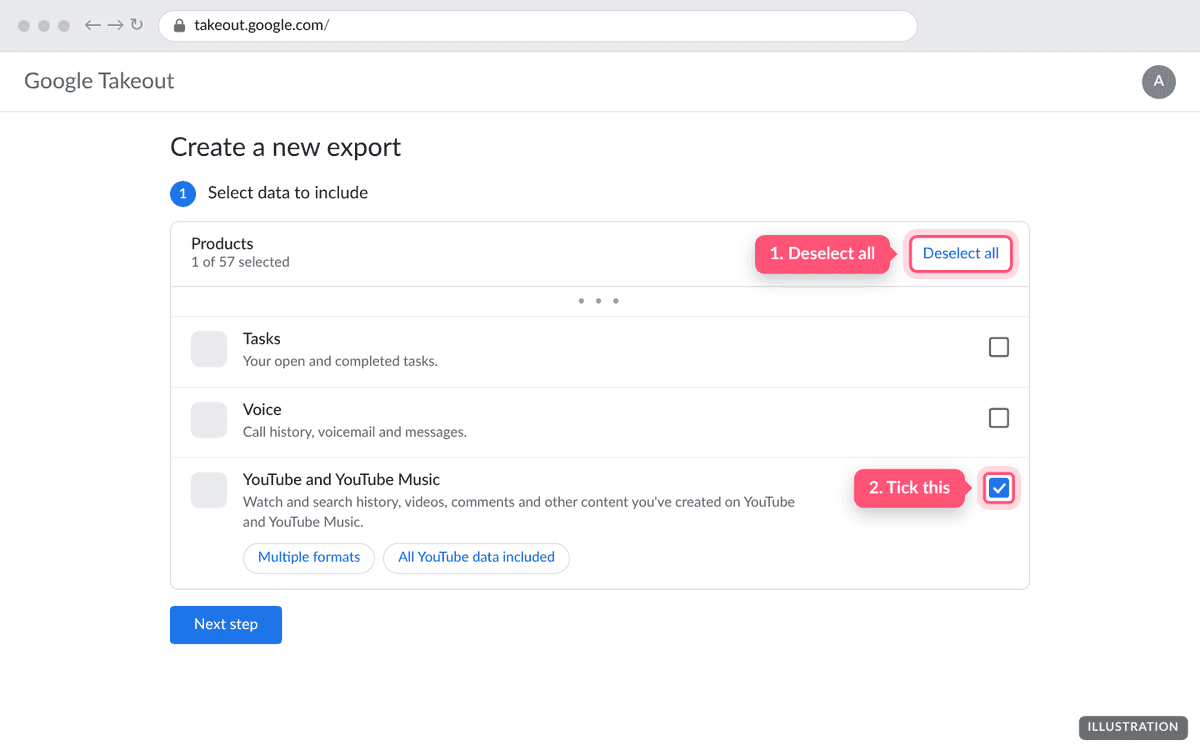
Illustration of the page. The real page may look slightly different. Keep only history
Press All YouTube data included. In the box that opens, press Deselect all, tick history and press OK. This keeps the download small.
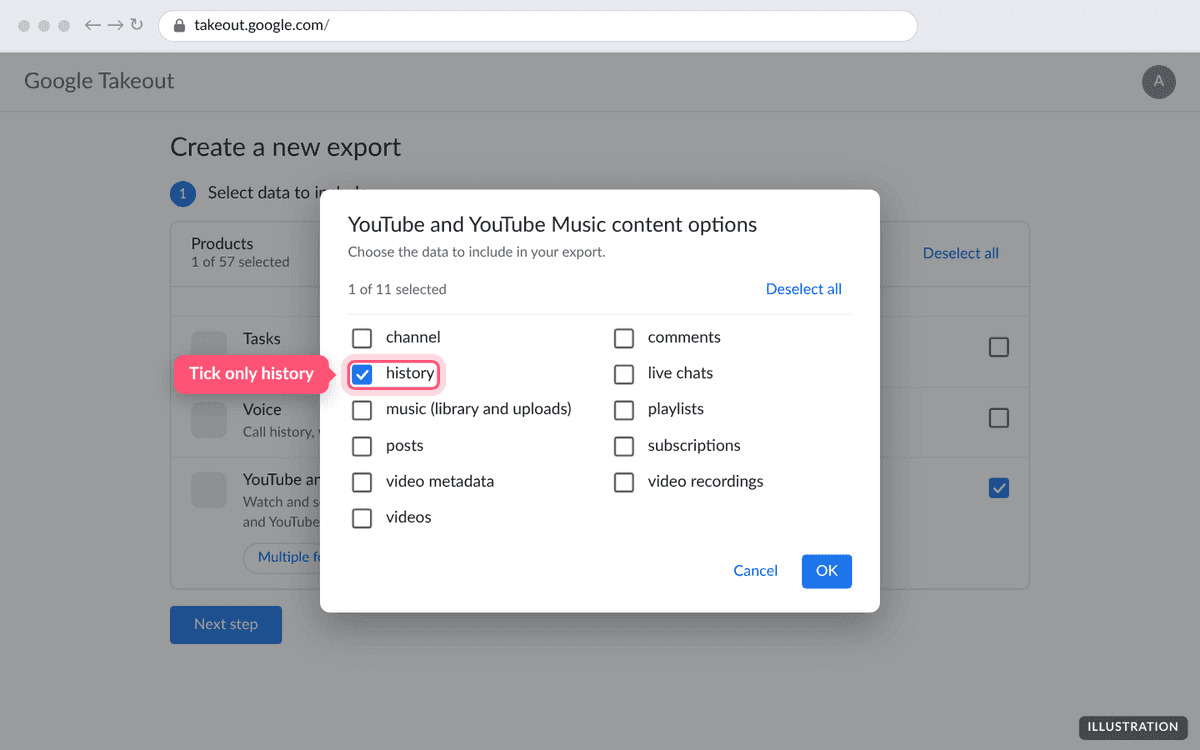
Illustration of the page. The real page may look slightly different. Change history to JSON
Press Multiple formats. Find history and change it from HTML to JSON, then press OK. Don't skip this step: depth.fm can't read the HTML version.
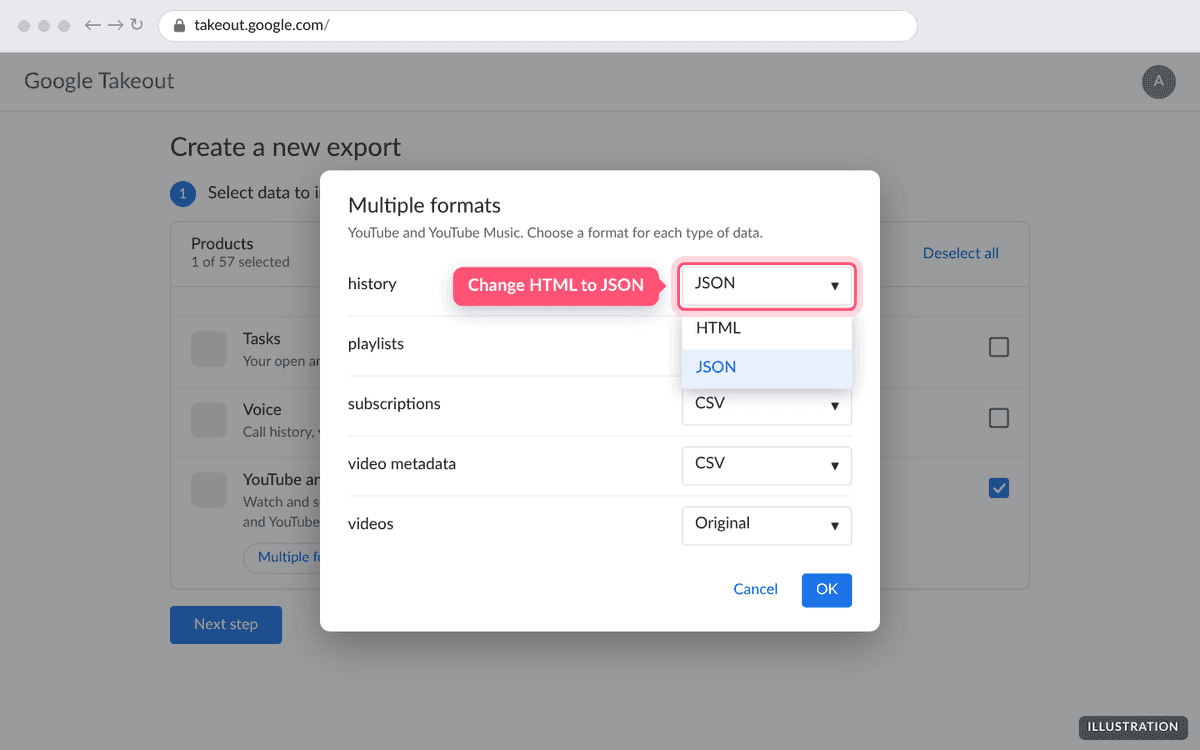
Illustration of the page. The real page may look slightly different. Create the export
Press Next step. Leave Send download link via email, Export once and .zip selected, then press Create export.
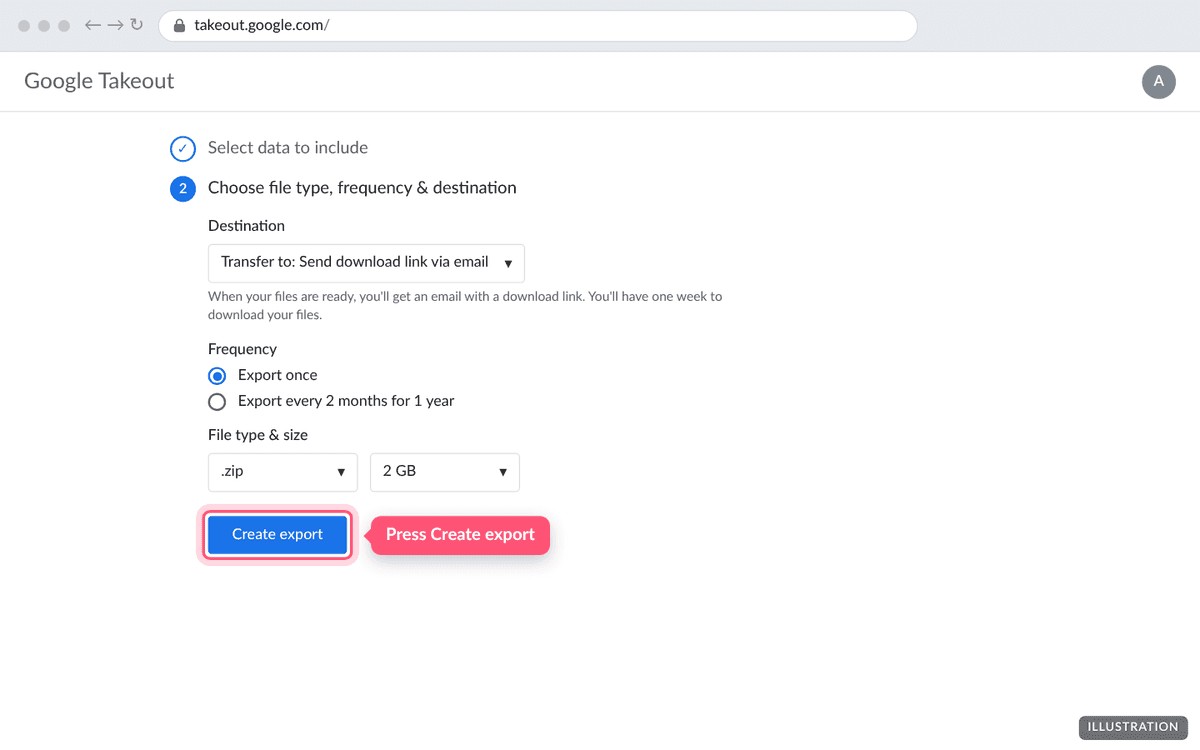
Illustration of the page. The real page may look slightly different. Download the zip and upload it here
Google emails you a link when the export is ready. The file is called something like takeout-20260927T101500Z-001.zip. Don't unzip it; upload the whole zip to depth.fm.
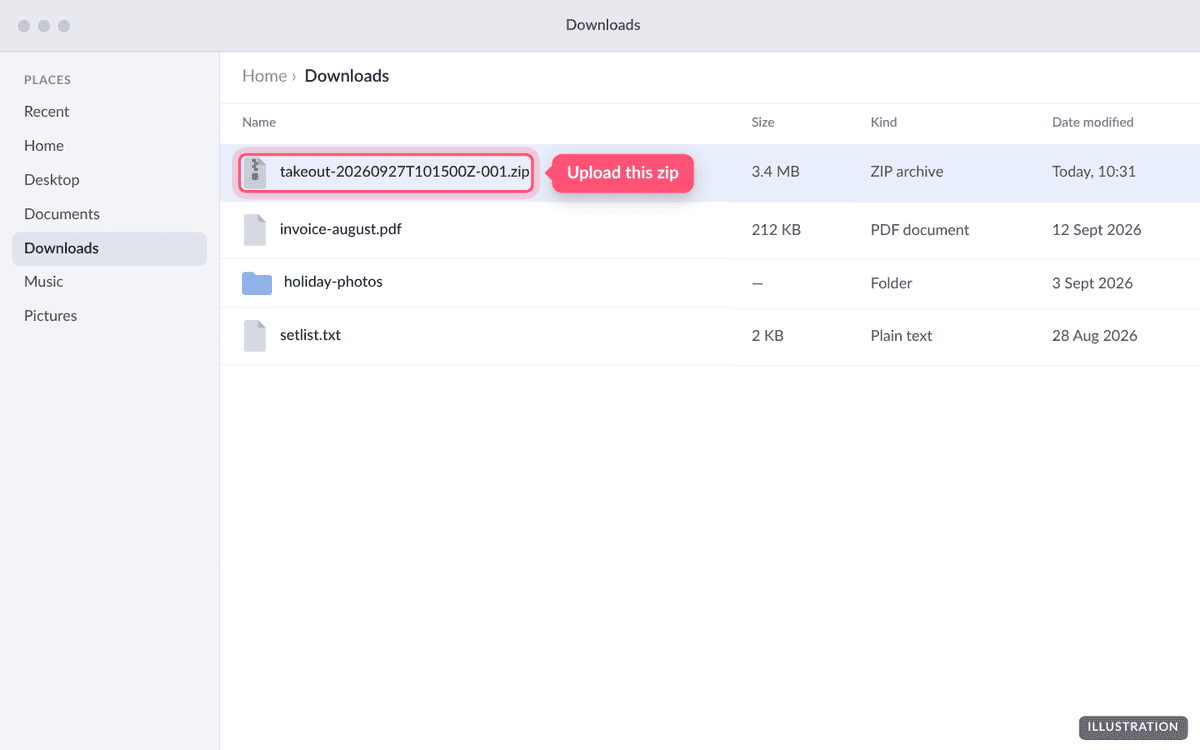
Illustration of the page. The real page may look slightly different. 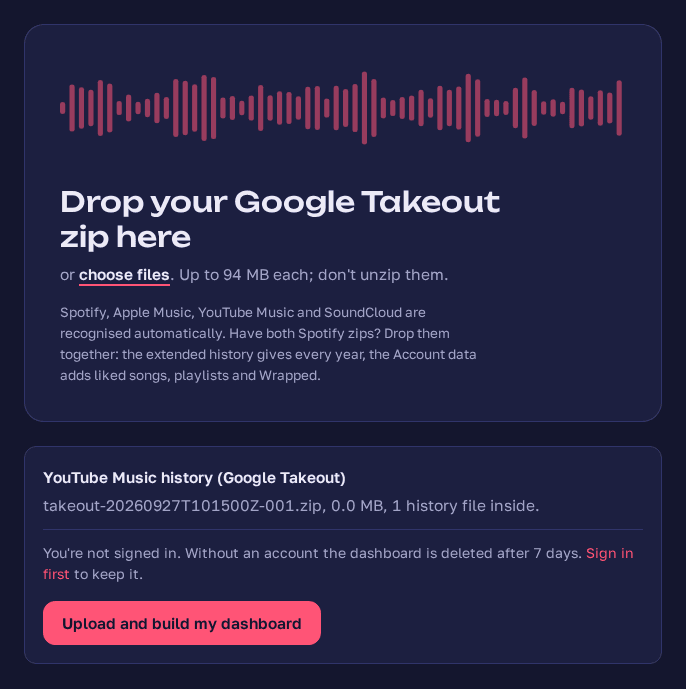
Screenshot taken September 2026: a Google Takeout zip dropped on depth.fm's upload page.
What's inside the zip?
A folder called Takeout, and inside it:
YouTube and YouTube Music/history/watch-history.json: the file depth.fm reads.YouTube and YouTube Music/history/search-history.json: your searches, which depth.fm ignores.archive_browser.html: Google's index of the download.
If your Google account isn't in English, the folder and file names are translated. depth.fm recognises the history file by what's in it, so that's fine, but song titles may keep the translated word Google puts in front of them (in English, "Watched"). For clean titles, switch your Google account to English before exporting.
How long does it take?
A history-only export is usually ready within minutes to a few hours. Large accounts can occasionally take a day or two. Google's download link works for about a week.
What can't it tell you?
- Listening time. Google records when each song started, not how long it played. depth.fm counts plays but can't measure hours listened on YouTube Music.
- Skips. Every song you opened counts as a play, even if you skipped it after a second.
- Albums, devices and countries. The history doesn't include them.
Troubleshooting
My history is watch-history.html
Takeout used its default HTML format. Go back to Takeout, make the export again, and under Multiple formats change history to JSON.
Nothing from YouTube Music was found
Check that YouTube watch history was switched on when you listened. It's under Your data in YouTube in your Google account. Songs you removed from your history, or played while history was paused, aren't exported.
Takeout gave me several zips
That happens when other products or videos are included. Upload the zip that has the YouTube and YouTube Music folder, or make a new export with only history selected.
The upload says the file is too large
The limit is 99 MB. A history-only export is usually a few megabytes. If yours is much bigger, you probably included your uploaded videos; export again with only history ticked.
Questions people ask
- Is there another way to get my YouTube Music history?
- No. YouTube Music has no export button and no public API for listening history. Google Takeout is the only way to download it.
- Why does depth.fm need JSON instead of HTML?
- Takeout gives your history as a web page by default. The web page is meant for reading, not for other programs, so depth.fm needs the JSON version, which Takeout offers under "Multiple formats".
- Can depth.fm show how many hours I've listened on YouTube Music?
- No. Google records when you started each song but not how long you listened, so depth.fm counts plays but can't add up listening time for YouTube Music.
- Will my ordinary YouTube videos show up?
- No. YouTube and YouTube Music share one history file. depth.fm keeps only the entries Google marks as YouTube Music.
- How far back does it go?
- As far back as your YouTube watch history does. Anything you deleted from your history, or played while history was paused, isn't included.
Got your YouTube Music export?
Upload it and see every stream since your first. It's free and private until you share it.
Upload your export